
Three compression levels
Size-first, Balanced, or Quality-first. Cap resolution at Original, 1080p, 720p or 480p. H.265 by default for smaller files.
FramePress is a native macOS tool for compressing and converting videos. No extra software required—drag in a video to shrink it, or convert losslessly between MP4, MOV and MKV.
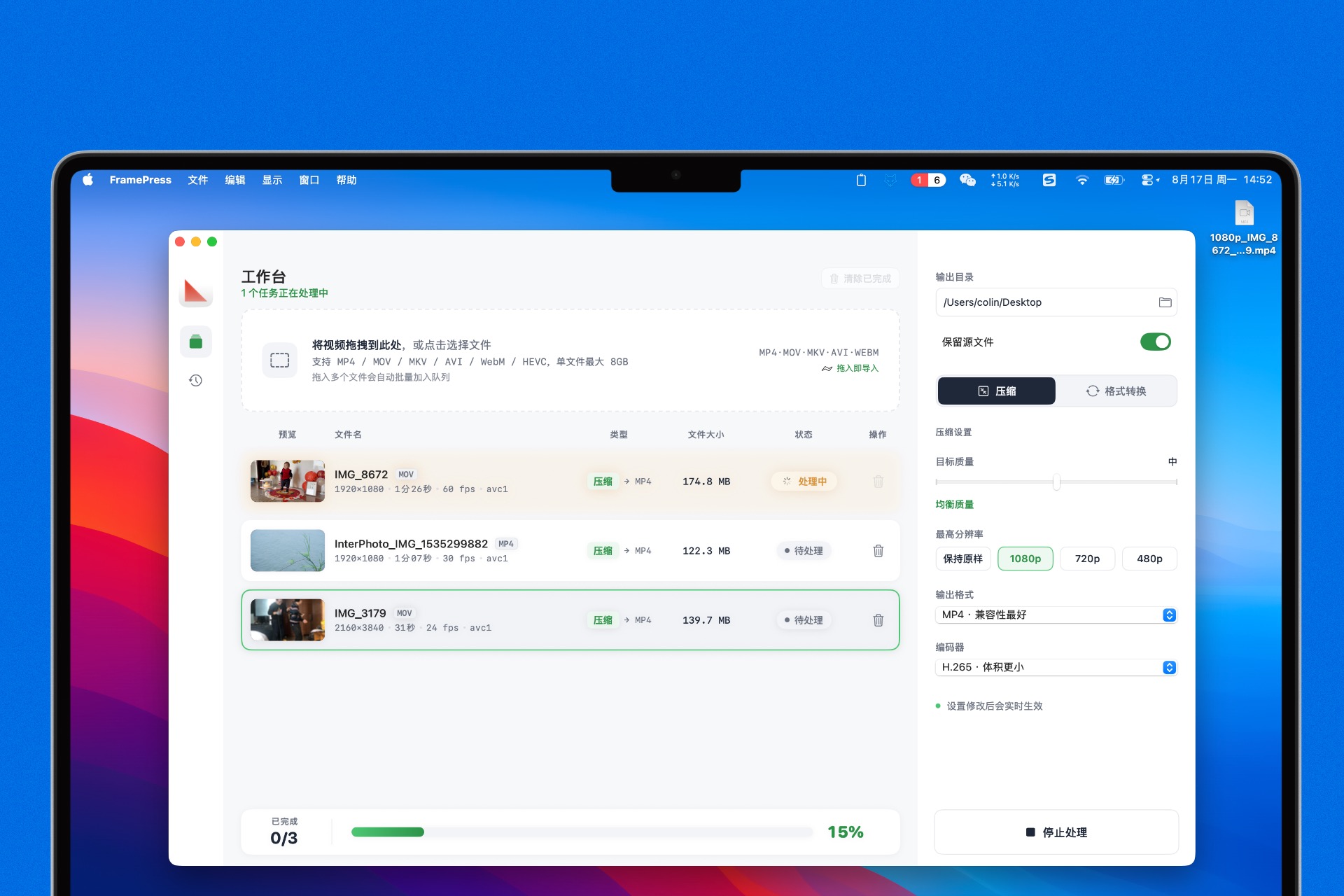
Settings apply instantly. Resolution is a ceiling: it only shrinks, never upscales.
Size-first, Balanced, or Quality-first. Cap resolution at Original, 1080p, 720p or 480p. H.265 by default for smaller files.
Switch between MP4, MOV and MKV without re-encoding. Zero quality loss—perfect when you only need a different format.
Drop a whole batch and files queue automatically. Process 1–4 at a time with live per-task progress. History keeps track of sizes and savings.
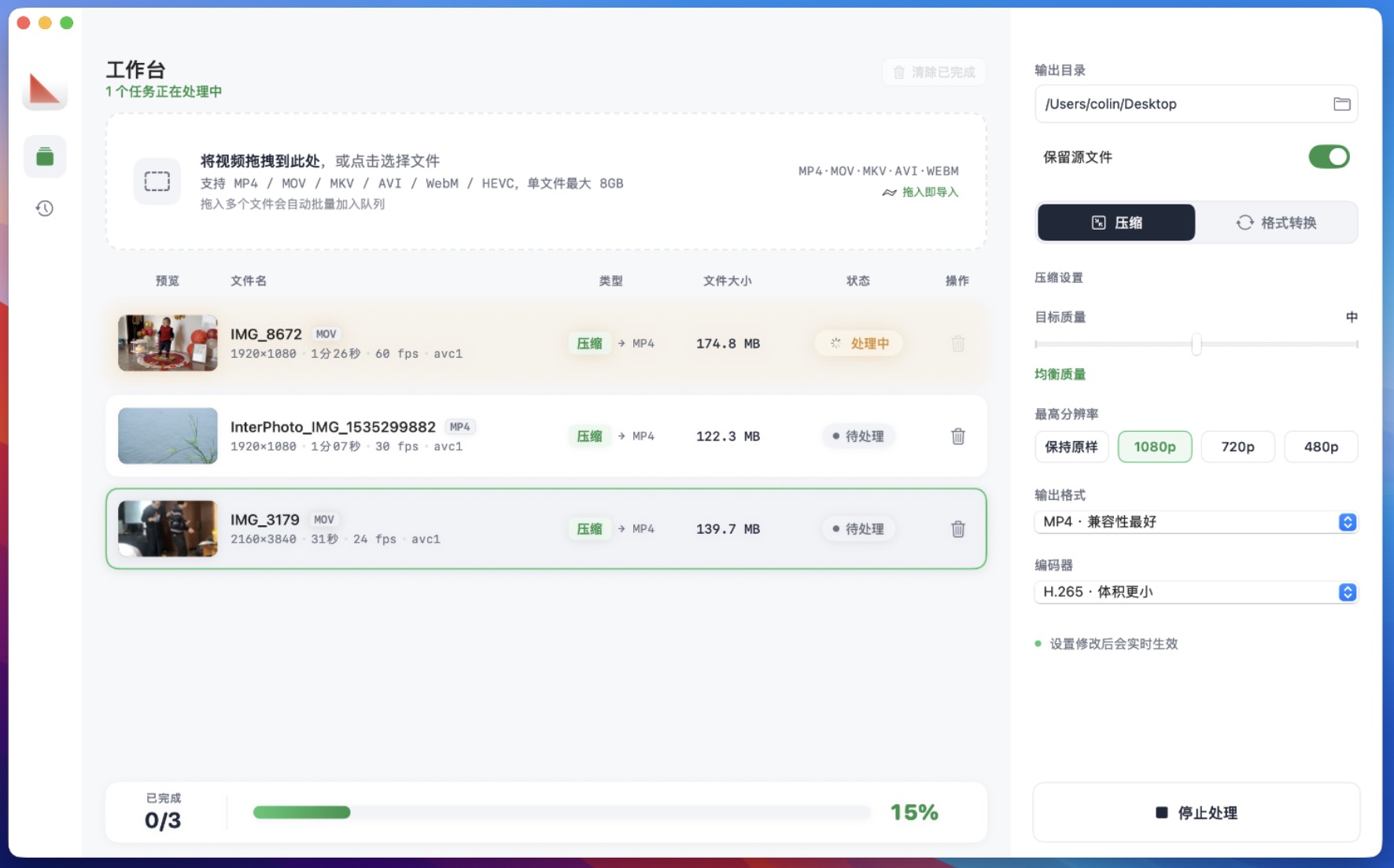
A slim icon rail switches between the workbench and history. Drop zone and task cards in the middle; output folder, quality, resolution and format on the right.
Quality slider, resolution presets and output format live on the right—no extra dialogs to open.
Import MP4, MOV, MKV, AVI, WebM and HEVC. Up to 8GB per file; multiple files queue automatically.
Pick 1080p and anything larger is capped; smaller videos stay untouched. It never upscales.
From drop to done, without leaving the window.
Drag videos into the zone, or browse for them. Files line up in the queue with thumbnails, duration, format and size.
To compress: set quality, resolution cap and output format. To convert: pick a target format—it converts directly, with no quality change.
The queue runs up to your concurrency limit. Watch live progress per task and overall completion. Review input/output sizes and savings in History.
No subscription, no in-app purchases, no annual fees. Pay once, use forever.
One-time payment · Lifetime license · All features included
Secure checkout by Creem · Instant download after payment
Click any Buy button to go to Creem's secure checkout, which accepts major international credit and debit cards. You'll see the download link right after payment—the DMG is about 33MB.
One-time purchase. $7, no subscription or annual fee. You own the current and future versions forever.
Yes. Within 14 days of purchase, you can request a full refund for any reason.
No. Your purchase covers all future updates, including 1.x major versions.
No. Everything is built in—download and go, regardless of what else is on your Mac.
No. Converting only changes the container (e.g. MP4 to MKV)—picture and audio stay identical. Use Compress when you want a smaller file.
No. Resolution is a ceiling: videos above it are downscaled, and smaller ones stay as-is. FramePress never upscales.
macOS 14 or later. The current build is for Apple Silicon (M1 and newer). Intel Macs aren't supported yet.